
Short answer: Service area analysis in GIS measures the places, people, customers, assets, or incidents that can reach or be reached by a facility, route, network, or program. A defensible analysis uses a method that matches real travel or operating conditions, summarizes the right demand, and keeps gaps, overlap, assumptions, and unavailable data visible.
A circle around a location can be useful, but it is not automatically a realistic service area. Rivers, road networks, turn restrictions, facility capacity, operating boundaries, travel mode, and the time of day can all change who is actually served. The method should match the decision rather than whichever GIS tool is easiest to run.
What is service area analysis in GIS?
Service area analysis evaluates geographic coverage from one or more locations. It can show which residents are within a reasonable drive, which assets fall inside a response zone, where customers overlap between facilities, or which communities remain outside an existing network.
Common applications include emergency response, utility operations, healthcare access, nonprofit programs, retail and facility planning, field service, transportation, deliveries, parks, schools, and public services. The output may be a map, but the useful result is usually a set of comparable coverage measures and a documented decision method.
Start with the coverage question
Define what “served” means before creating polygons. A ten-minute drive may be appropriate for one service and irrelevant for another. A utility may care about network connectivity and crew response. A nonprofit may care about residents without transportation. A field team may care about a manageable daily workload rather than theoretical proximity.
- Who or what is being served?
- Which facility, asset, route, or program provides the service?
- What travel mode, threshold, operating schedule, or boundary applies?
- Does capacity affect whether a location is truly served?
- Which comparison or decision will use the result?
Buffers versus network service areas
A buffer measures straight-line distance from a point, line, or polygon. It is fast, transparent, and useful for early proximity screening. It does not represent a route through a street network unless the landscape and decision make straight-line distance a reasonable substitute.
A network service area follows connected roads, paths, or another modeled network. It can account for travel speed, one-way streets, turn restrictions, barriers, travel mode, and other routing rules. Network analysis is usually more appropriate when the decision depends on driving, walking, cycling, response, or delivery time.
Neither method is universally better. Buffers may be sufficient for a regional first pass, proximity rule, or communication exhibit. Network service areas are stronger when access depends on actual routes. The important step is to label the method correctly and avoid describing a straight-line radius as a drive-time area.
Data needed for a service area analysis
The required data depends on the question, but most analyses combine service origins, a movement model or boundary, and a measure of demand. Review source dates, geographic detail, missing records, identifiers, and coordinate systems before calculating coverage.
- Facility, station, office, asset, or proposed-site locations.
- Road, pedestrian, transit, utility, or operational network data.
- Travel speeds, restrictions, schedules, barriers, or response rules.
- Population, customers, incidents, demand, assets, or priority groups.
- Administrative, program, territory, or contractual boundaries.
- Capacity, operating hours, service type, and other facility attributes.
Geocoded addresses also need review. Unmatched or low-confidence points should not disappear from the denominator. If an address represents a billing office rather than the service location, document that limitation before drawing conclusions about access.
A practical service area analysis workflow
1. Prepare and verify service locations
Confirm coordinates, facility status, service type, capacity, and operating dates. Separate active, proposed, temporary, and closed locations so they are not combined accidentally.
2. Choose comparable thresholds
Use thresholds that support the decision, such as five-, ten-, and fifteen-minute travel times or defined distance bands. Apply the same assumptions to each candidate or clearly explain intentional differences.
3. Build the coverage areas
Generate buffers, network areas, territories, or other coverage geometries using documented parameters. Record the network date, travel mode, impedance, restrictions, break values, direction of travel, and polygon settings when those choices affect the result.
4. Summarize demand and access
Count or estimate the relevant population, customers, incidents, assets, or workload inside each area. When demand data is aggregated, use an allocation method appropriate to its geographic precision and avoid implying household-level accuracy from broad reporting zones.
5. Identify gaps and overlap
Map locations outside the accepted threshold, areas served by multiple facilities, and places where coverage is fragile. Report both totals and the geographic distribution. A high coverage percentage can still hide an important underserved cluster.
6. Compare scenarios
Test proposed locations, closures, territory changes, capacity limits, or alternate thresholds against the same baseline. Show what each scenario adds, loses, duplicates, or shifts rather than only presenting the winning option.
7. Validate and document the result
Review representative routes, boundary effects, unreachable areas, missing demand records, overlapping polygons, and unexpected totals. Compare the model with local knowledge or observed operations when that evidence is available.
Example: comparing two facility locations
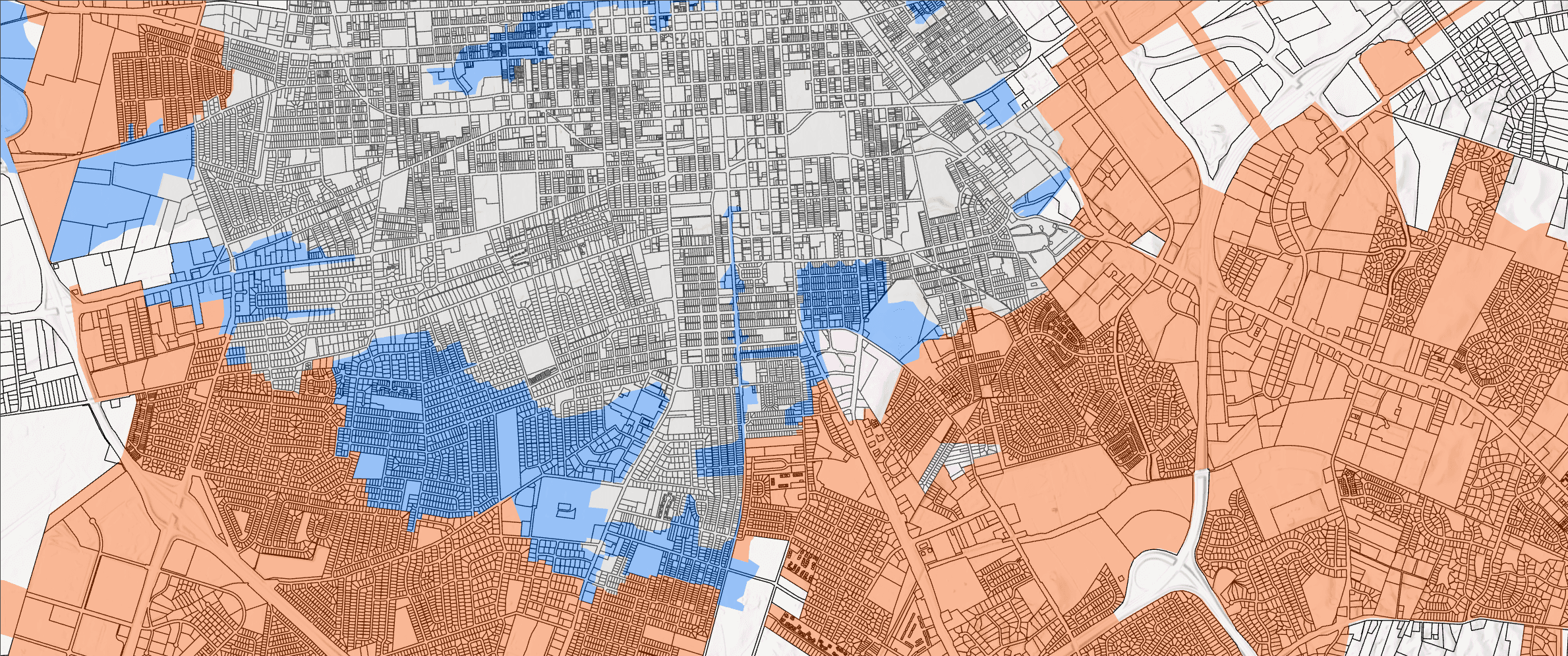
Suppose a team is choosing between two candidate facilities. Candidate A reaches more people within fifteen minutes, while Candidate B reaches a smaller total but closes a gap for a priority community. Candidate A also overlaps heavily with an existing facility, while Candidate B creates new coverage but requires additional infrastructure review.
The analysis should preserve those tradeoffs. A decision package might compare five-, ten-, and fifteen-minute coverage; unique and overlapping demand; priority populations reached; constraints; and the records that remain outside every scenario. The final choice depends on the organization's goals, not only the largest polygon or highest total.
Common service area analysis mistakes
- Calling a straight-line buffer a drive-time or response area.
- Comparing facilities with different assumptions or data dates.
- Reporting total population without checking who remains outside coverage.
- Counting overlapping demand more than once in network totals.
- Ignoring capacity, operating hours, eligibility, or service type.
- Dropping unmatched addresses or missing records from the denominator.
- Treating modeled travel time as a guarantee under all conditions.
- Publishing polygons without the parameters and limitations needed to review them.
What a consultant should deliver
A service area analysis should be usable after the map presentation ends. Typical deliverables include comparable coverage maps, a table of original measures, gap and overlap summaries, GIS-ready outputs, scenario comparisons, and methods documentation. Important assumptions and unresolved data issues should remain visible.
The package should also identify what needs field, operational, engineering, policy, or stakeholder review. GIS can organize the geographic evidence, but it should not quietly make decisions that belong to accountable people.
How service area analysis supports location strategy
Service areas are often one part of a broader location strategy. A team may also need to evaluate parcels, utilities, zoning, environmental constraints, costs, workforce access, or proximity to existing assets. Keep the coverage measures visible beside those other factors rather than burying them inside a combined score.
For the broader decision sequence, read location strategy consulting with GIS. To see how consultants structure the underlying work, review what location analysis consultants do.
How CartoCodeGIS can help
CartoCodeGIS helps teams define service questions, prepare location and demand data, build comparable coverage areas, measure gaps and overlap, test facility scenarios, and deliver maps and recommendations that can be reviewed and updated.
Explore our location analysis consulting services or review additional GIS project examples.
Need to understand who is served and where the gaps remain?
Share the facilities, service standard, geographic scope, and available demand data. CartoCodeGIS can help define a practical service-area method and decision-ready outputs.
Explore Location Analysis Consulting